Step 3: Operate
How should high-risk AI agent actions be approved?
Send every high-risk action to a named person before it runs. Low risk runs. Prohibited is blocked. Each decision is recorded.
- Low risk runs
- High risk waits
- Prohibited blocked
Interactive example
Who decides?
Pick an action and see what policy does.
An agent wants to
Policy decides
Pick an action
The record
- Nothing yet
Interactive example. Not the live product.
Who may approve
Three rules for approvers
A named person
Not a shared inbox
With the right role
Set in policy
Never your own request
Owners are the exception
In the product
The approval queue
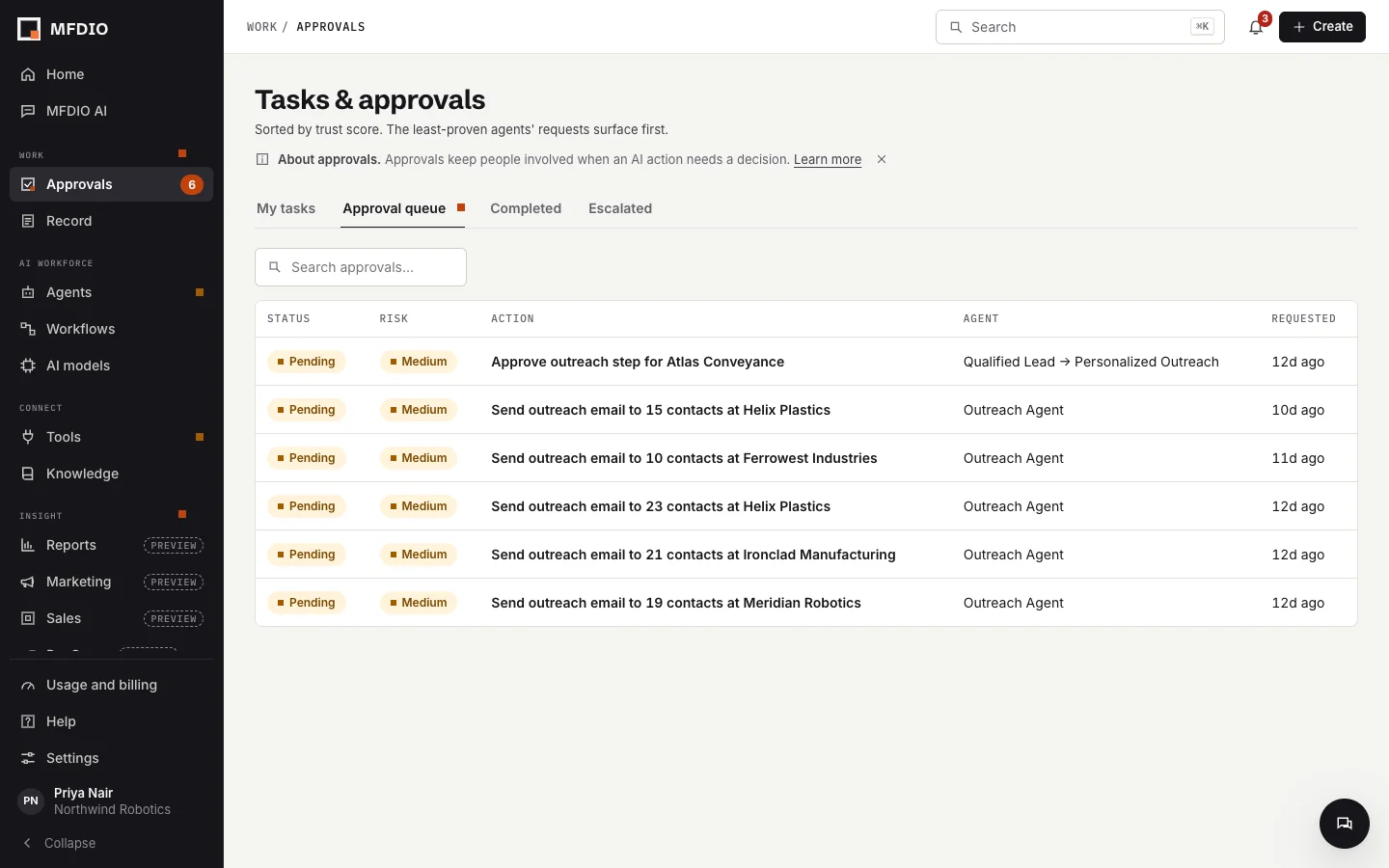
- Every pending action
- Risk level shown
- Approve or decline
What an approver sees
- 1
The action
What the agent wants to do
- 2
The context
Why it wants to
- 3
The decision
Recorded with name and time
Status
Today Works now
- Email, chat and record writes wait for approval
- No self-approval unless you are the Owner
- Per-organization emergency stop
Roadmap Planned
- Enforcement on live actions in customer systems through built-in connections